Everything a practice does, screen by screen.
eGOS claims, the test room, dispensing, the till, stock and the back office. Real screens from a demo practice, with every patient and number on them invented.
The refraction, laid out the way you write it.
History and symptoms carry forward from the previous exam. Sign on screen and the expiry is worked out for you: two years for an adult, one for an under-16. The recall sets itself.
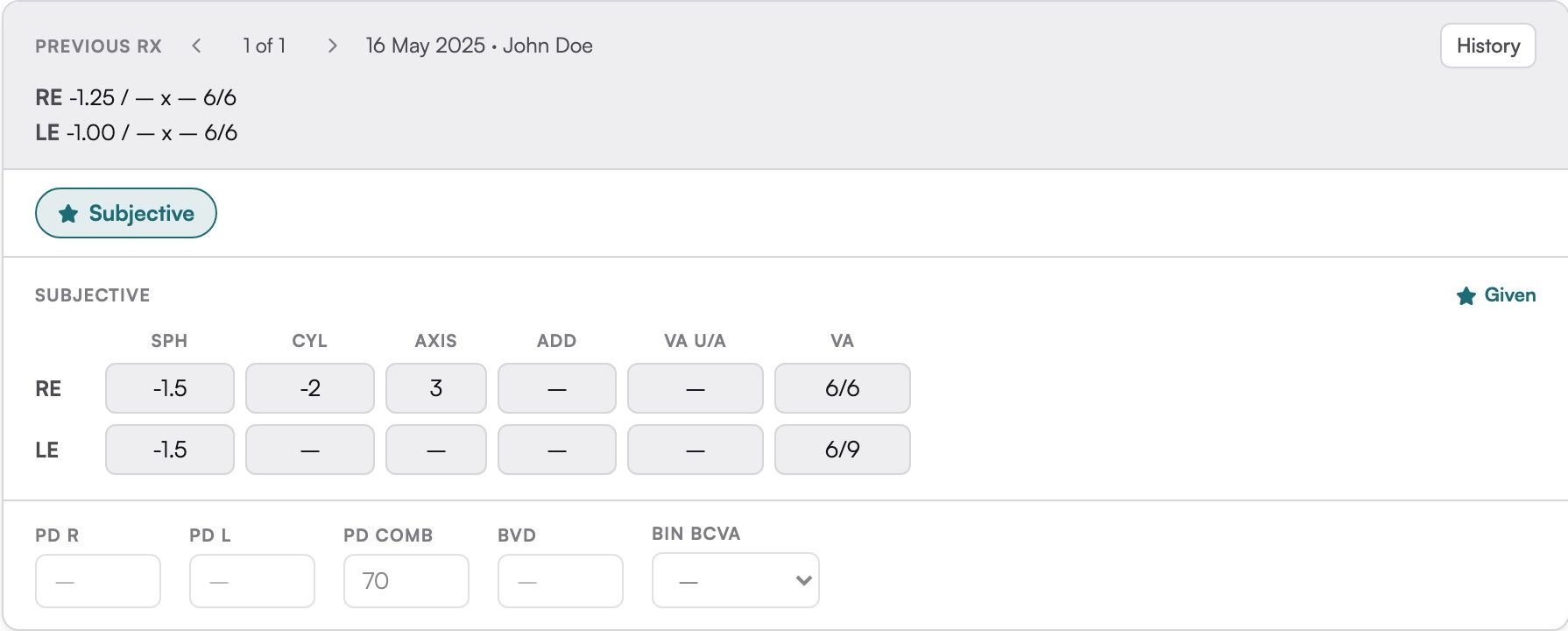
The last visit's Rx sits above this one, with every earlier one a click away.
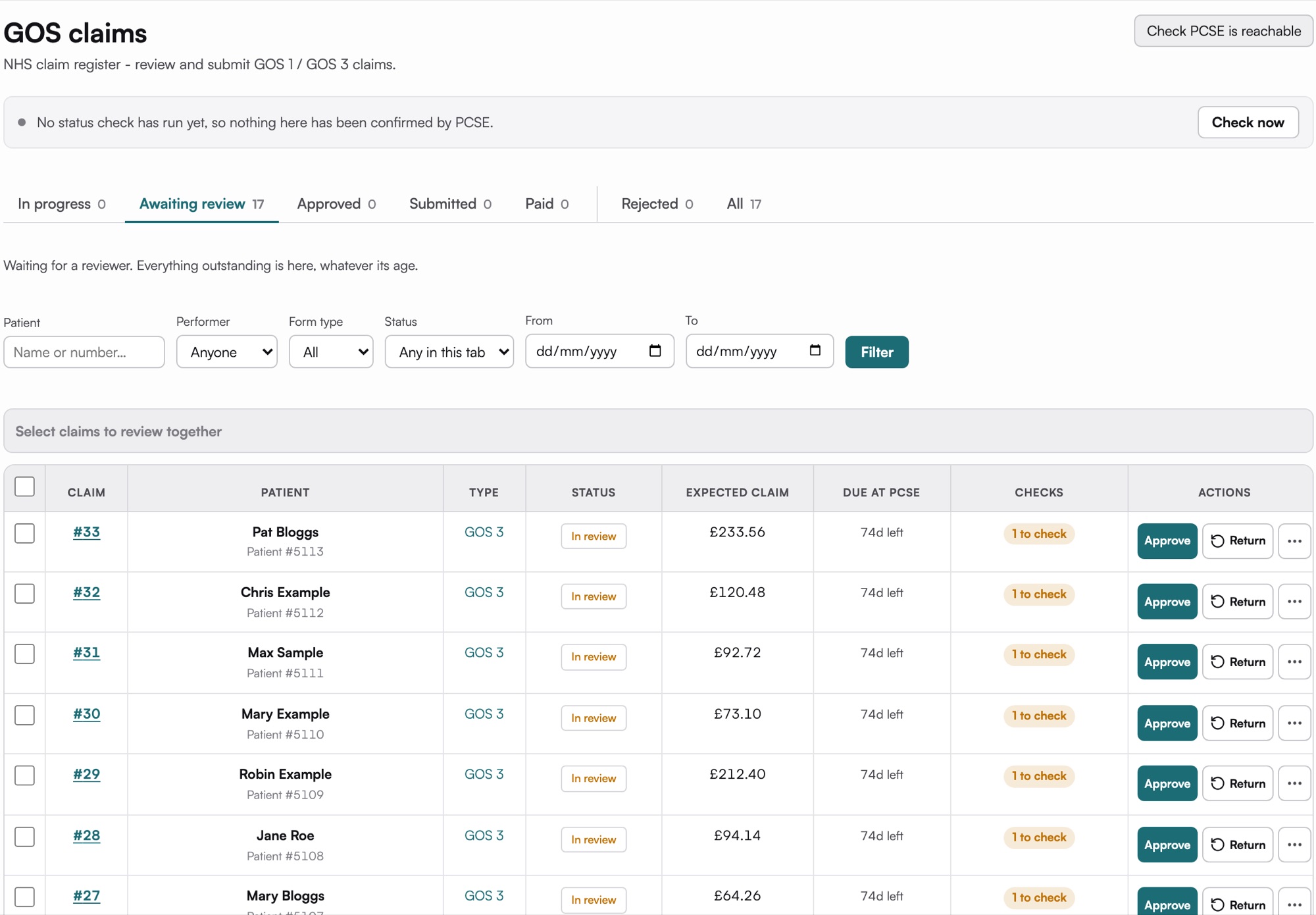
A GOS claim is money for work you have already done. SightBase treats it that way.
Every GOS claim the practice makes lands in one register, from in progress to awaiting review, submitted and paid. You can see what each claim is worth and how long is left to send it.
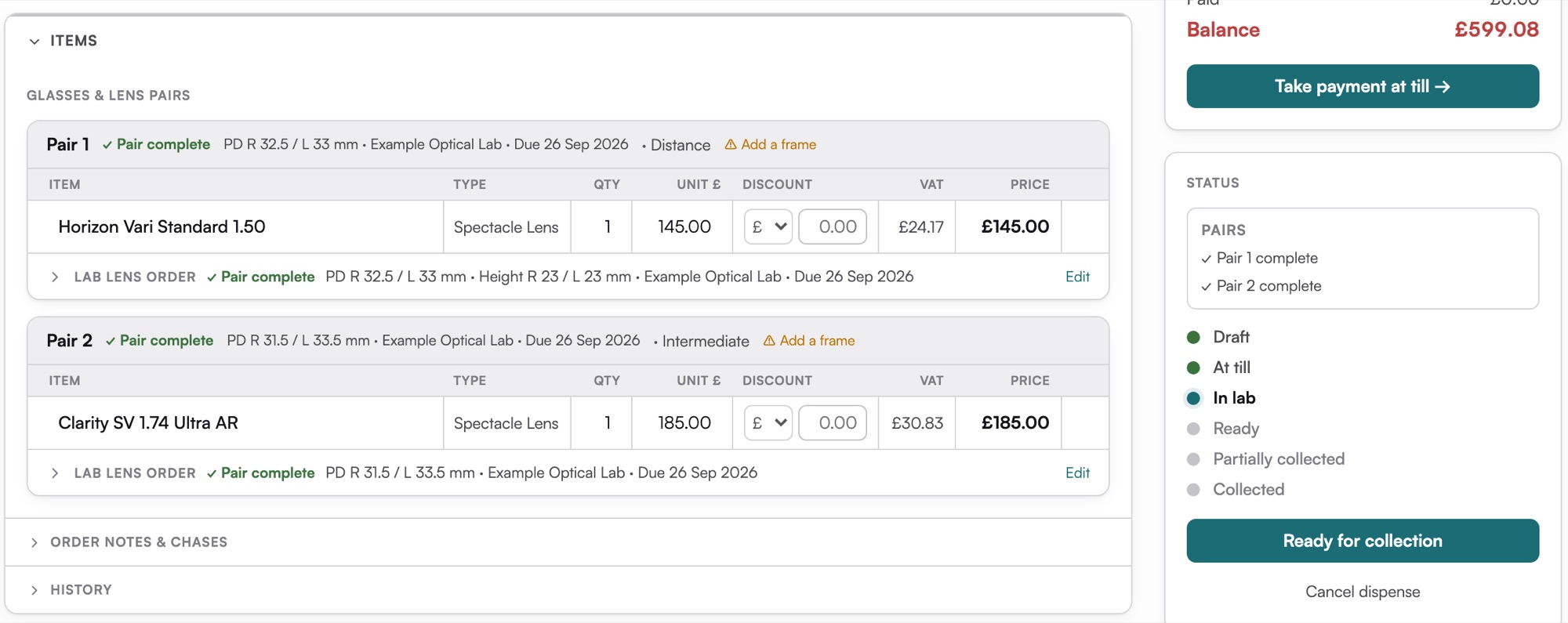
The order, pair by pair.
Frames and lenses for each pair, with the fitting measurements and the lab order on the same screen. The lab ticket prints from the order, the status moves from at till to in lab to ready, and the balance goes to the till.
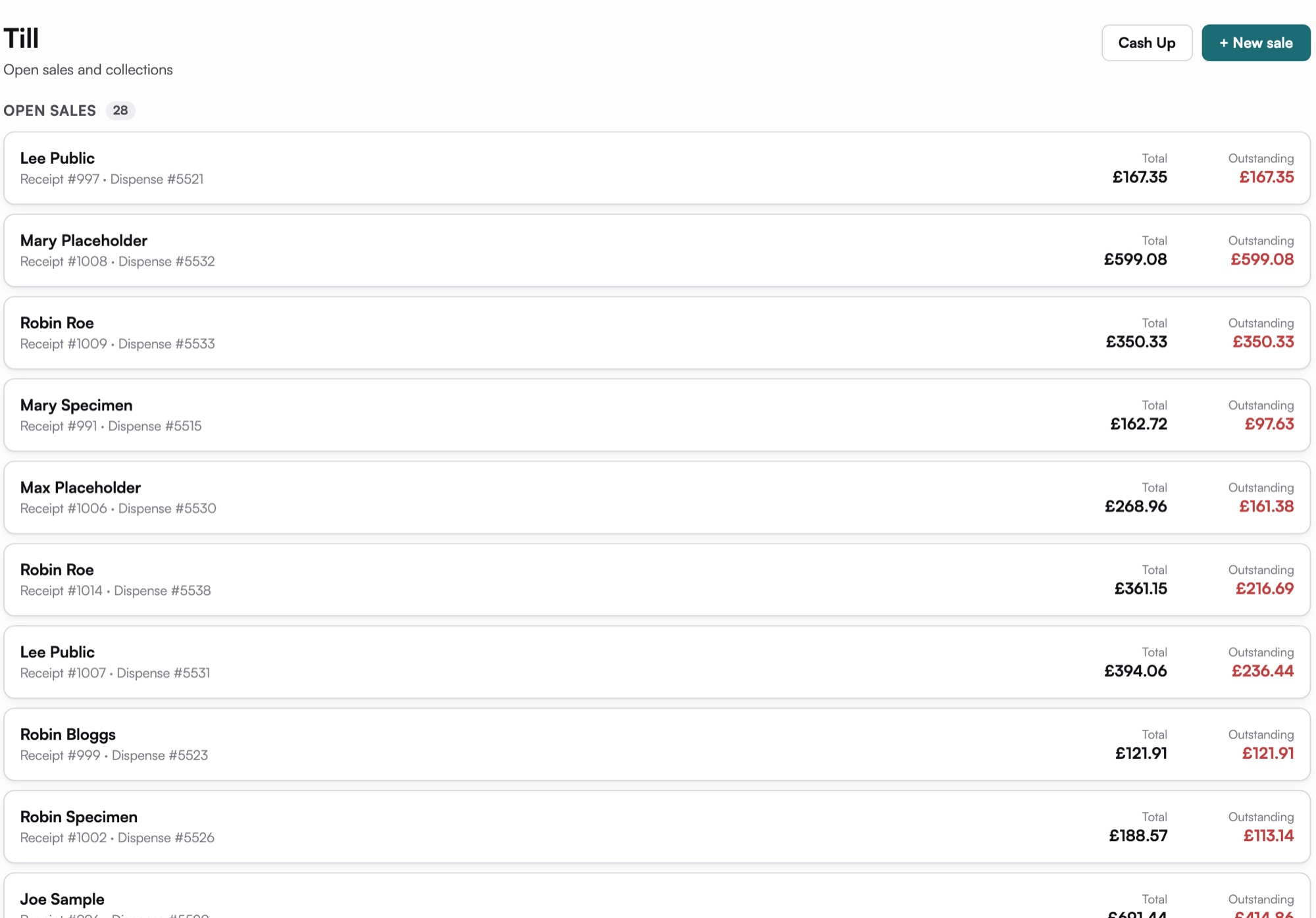
Take payment without leaving the record.
Open sales and collections in one list, payments split across methods, receipts, and a cash-up at the end of the day.
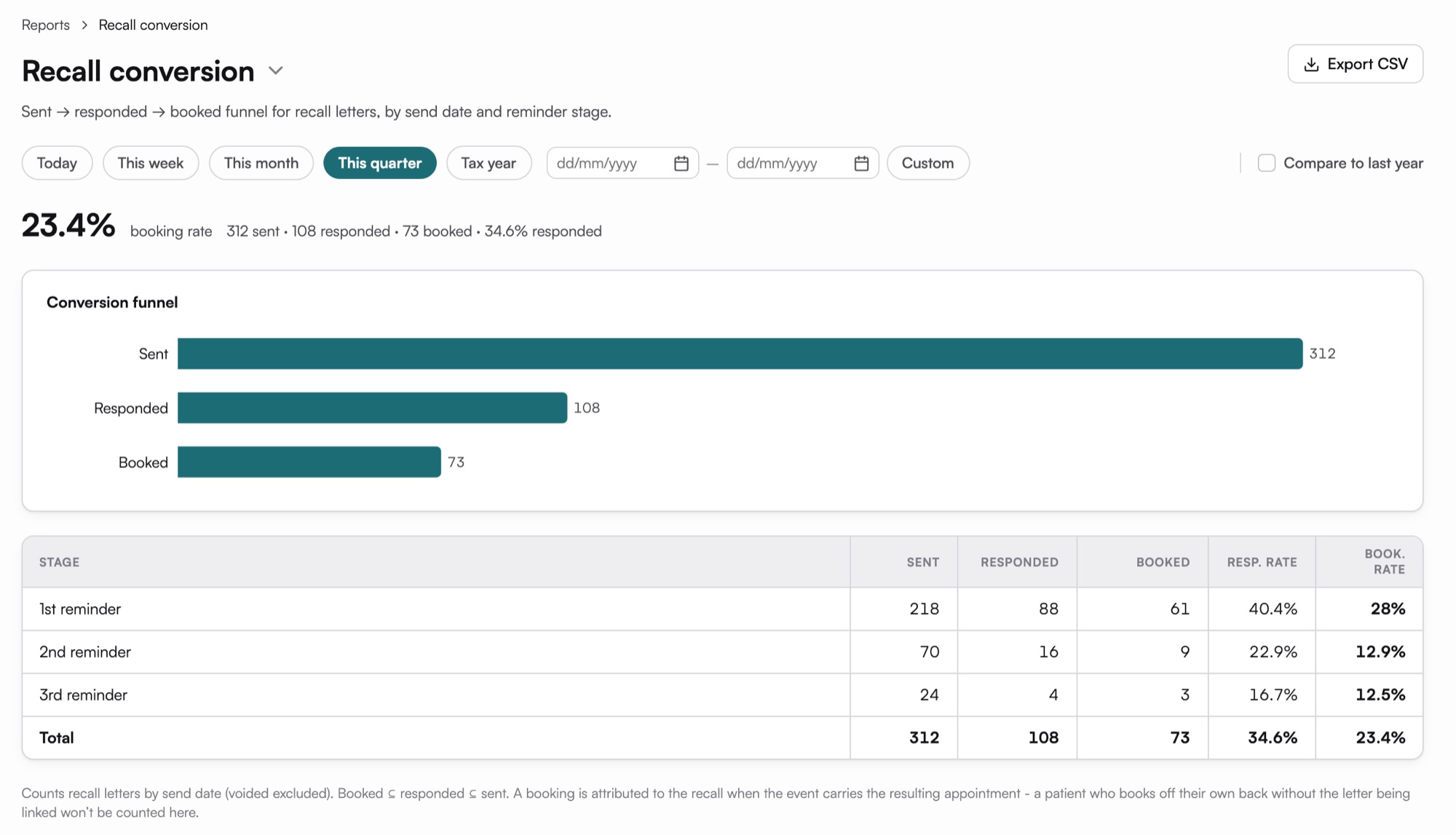
Bring patients back, and see who came.
Reminders by text or email through your own provider account, and a report of how many turned into bookings.
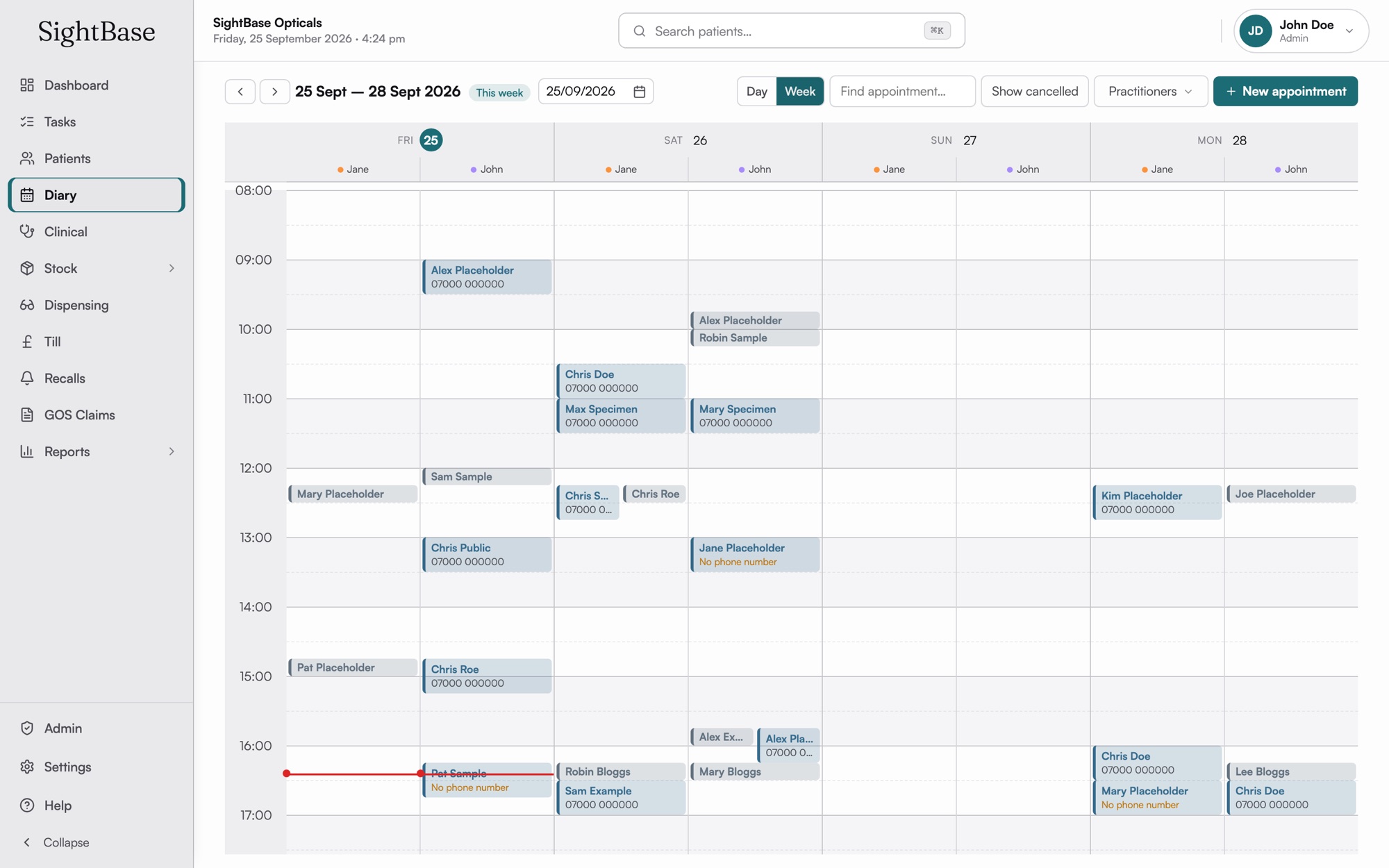
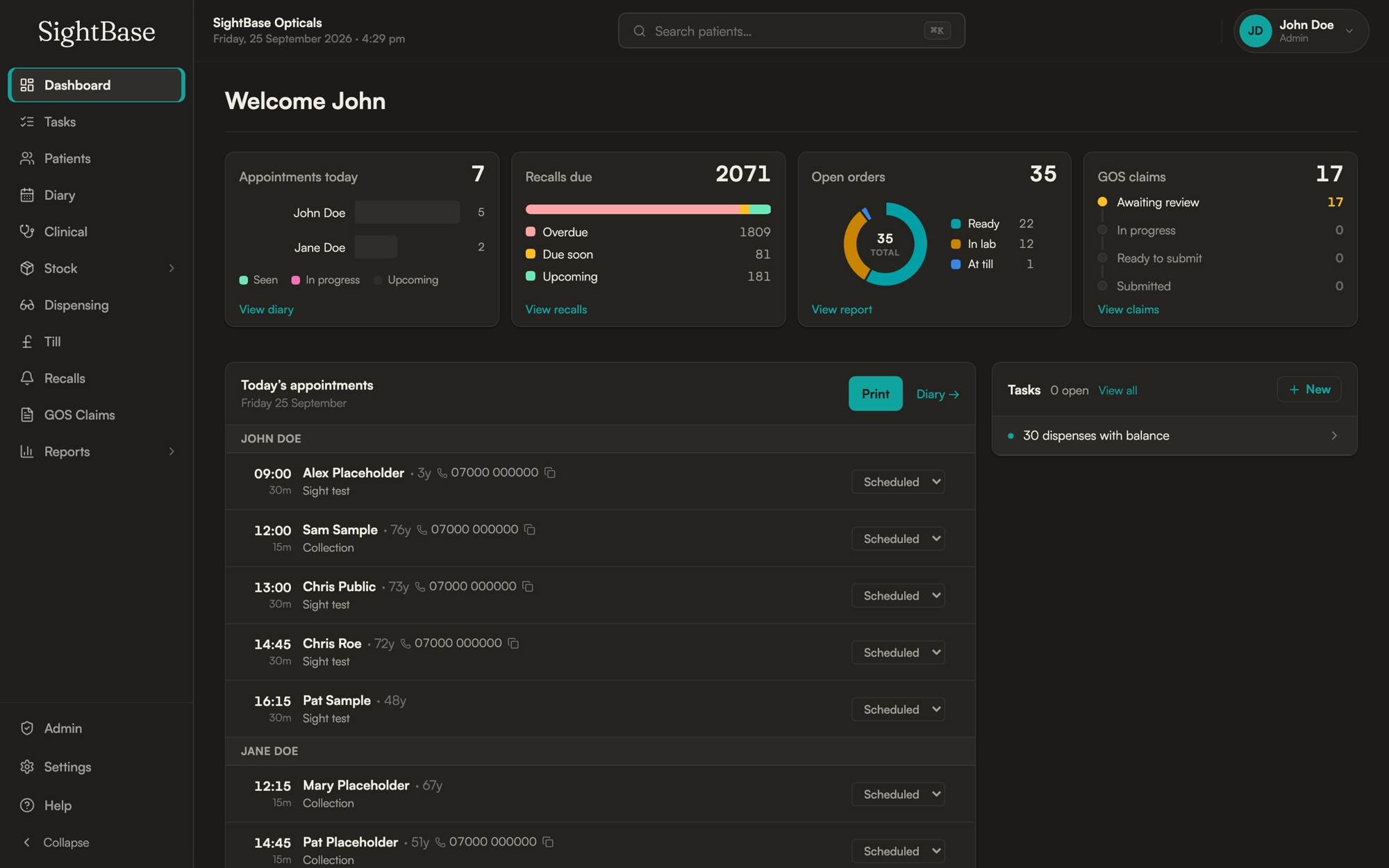
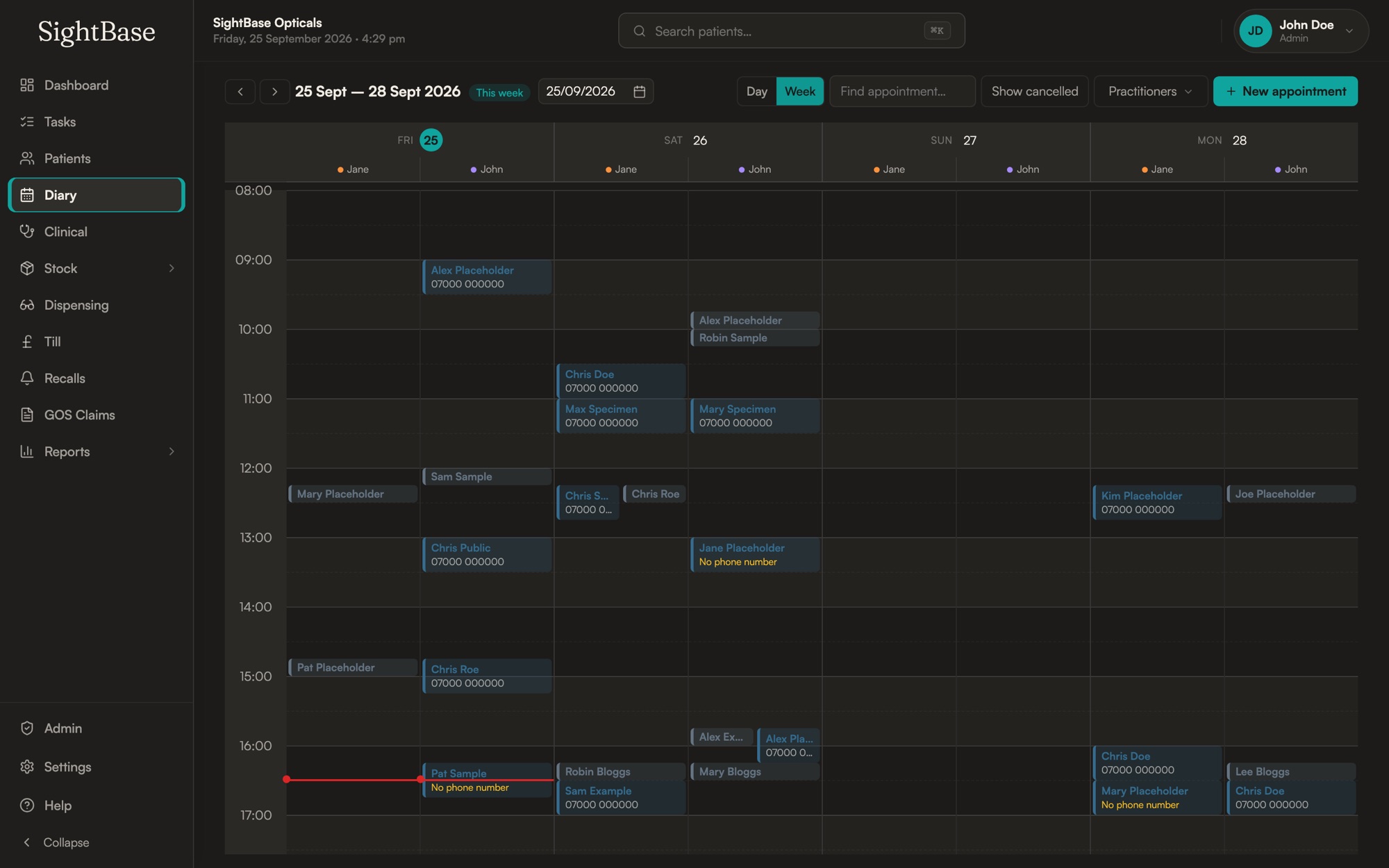
A diary that knows who is in which chair.
Each optometrist in their own column, opening hours and lunch set per practice, and patients who book online landing straight in it.
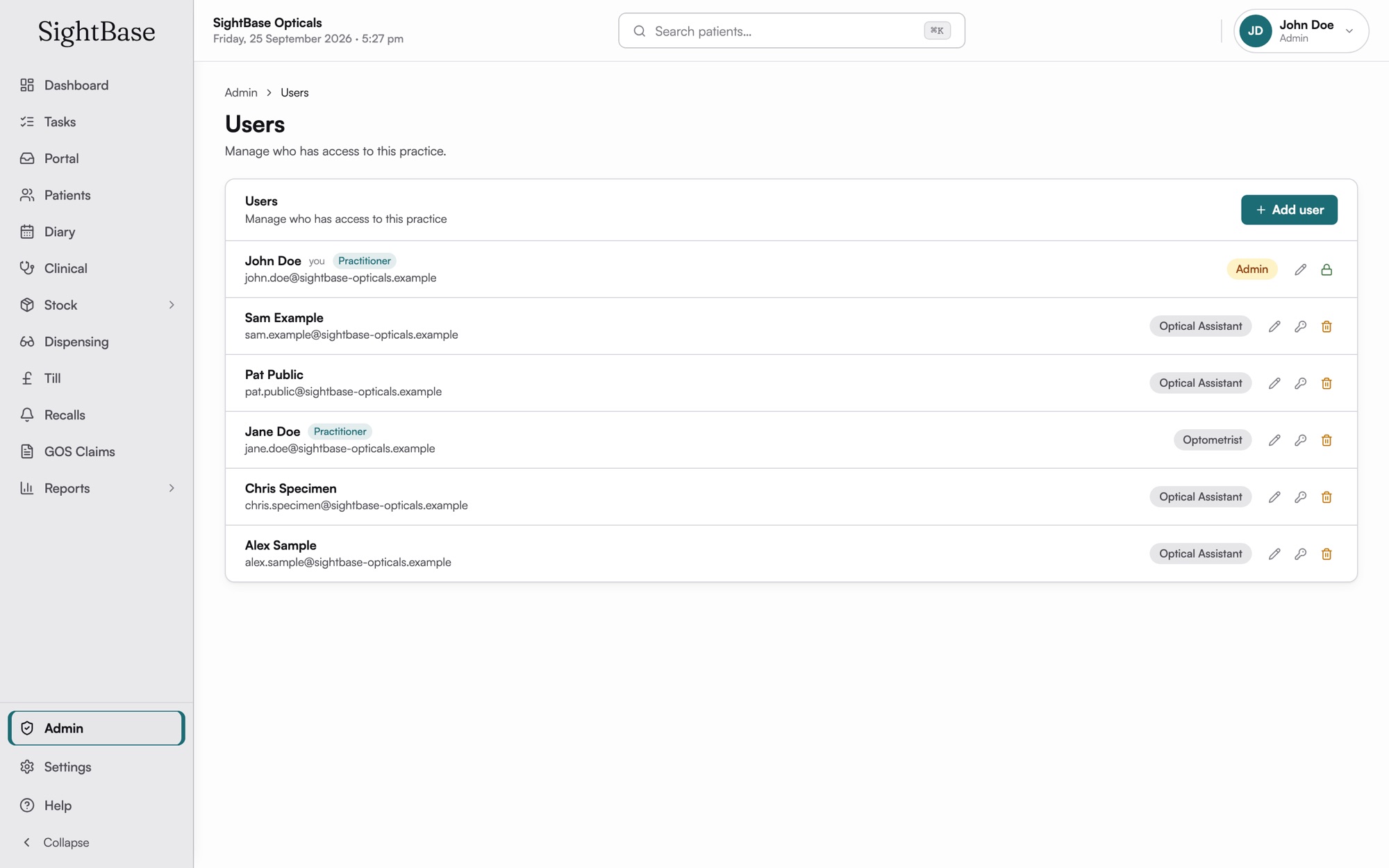
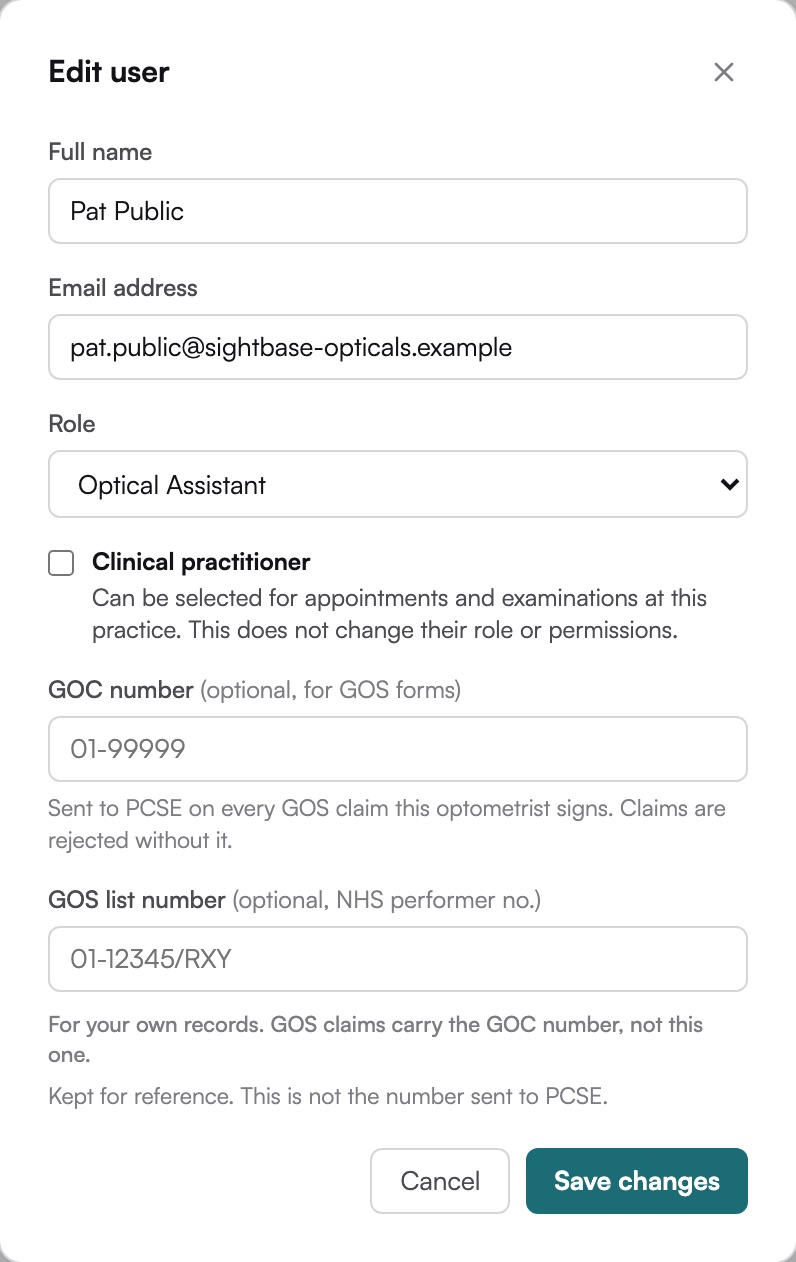
Every role, set by the practice.
Add staff, give each person a role, and change it in a couple of clicks. Each role carries its own permissions, so a locum, a part-timer and a manager each see what they need and nothing more.
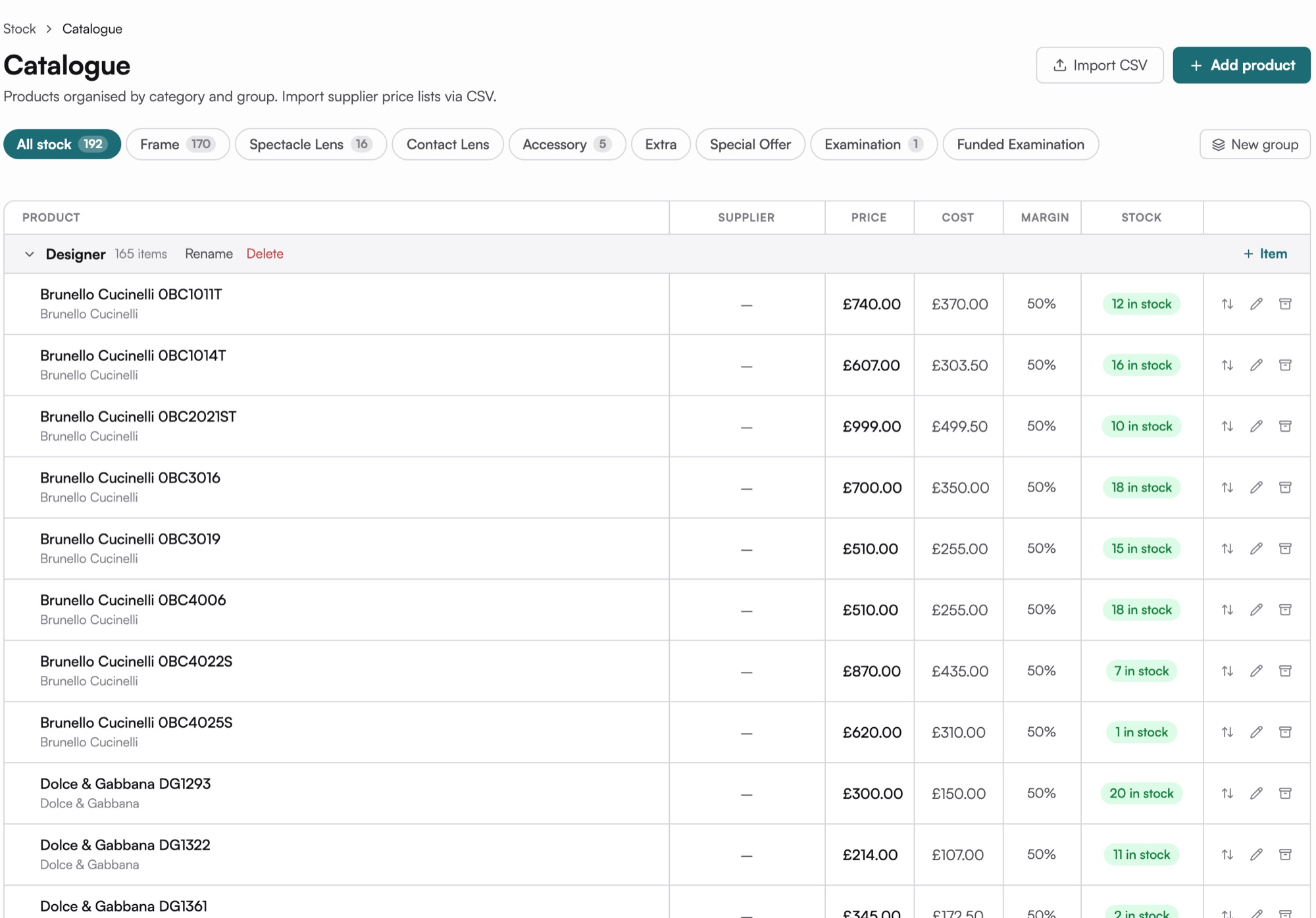
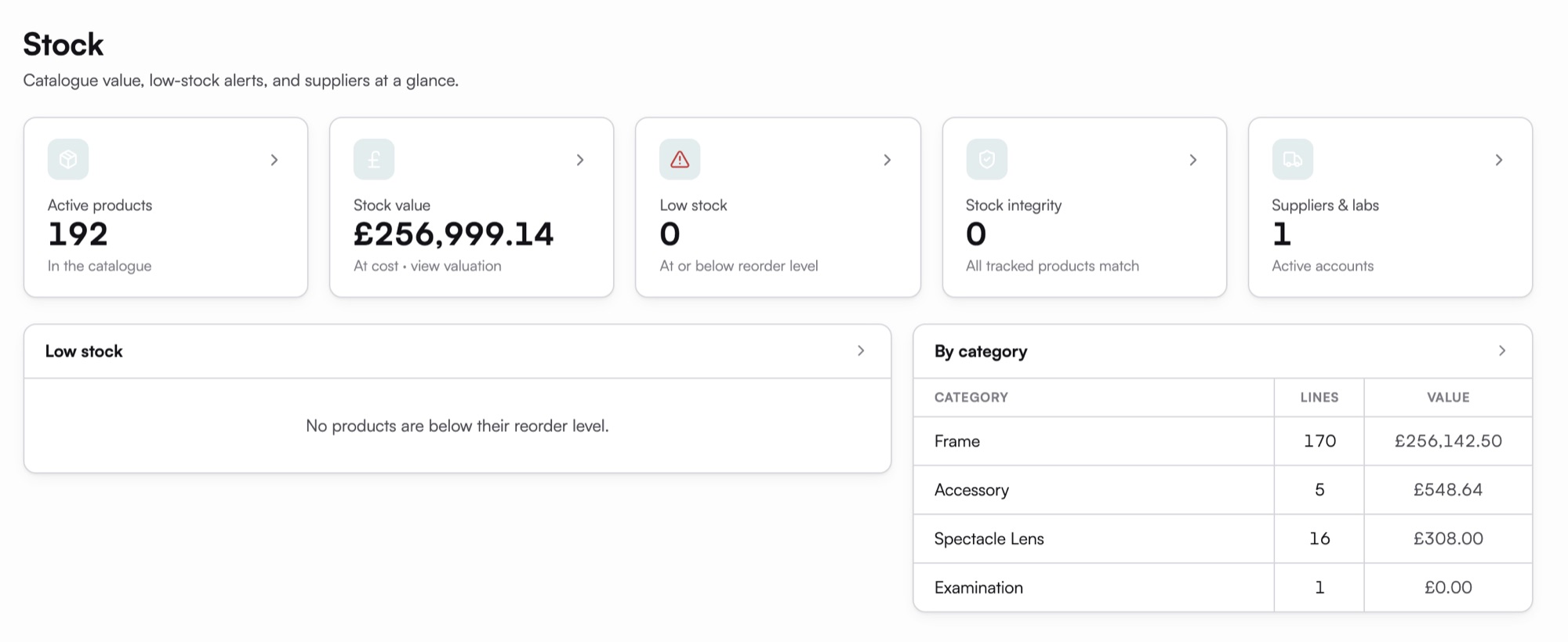
Know what is on the shelf, and what to reorder.
Every frame with its cost, price, margin and stock, supplier price lists imported by CSV, and a best-sellers report that tells you what is worth ordering again.
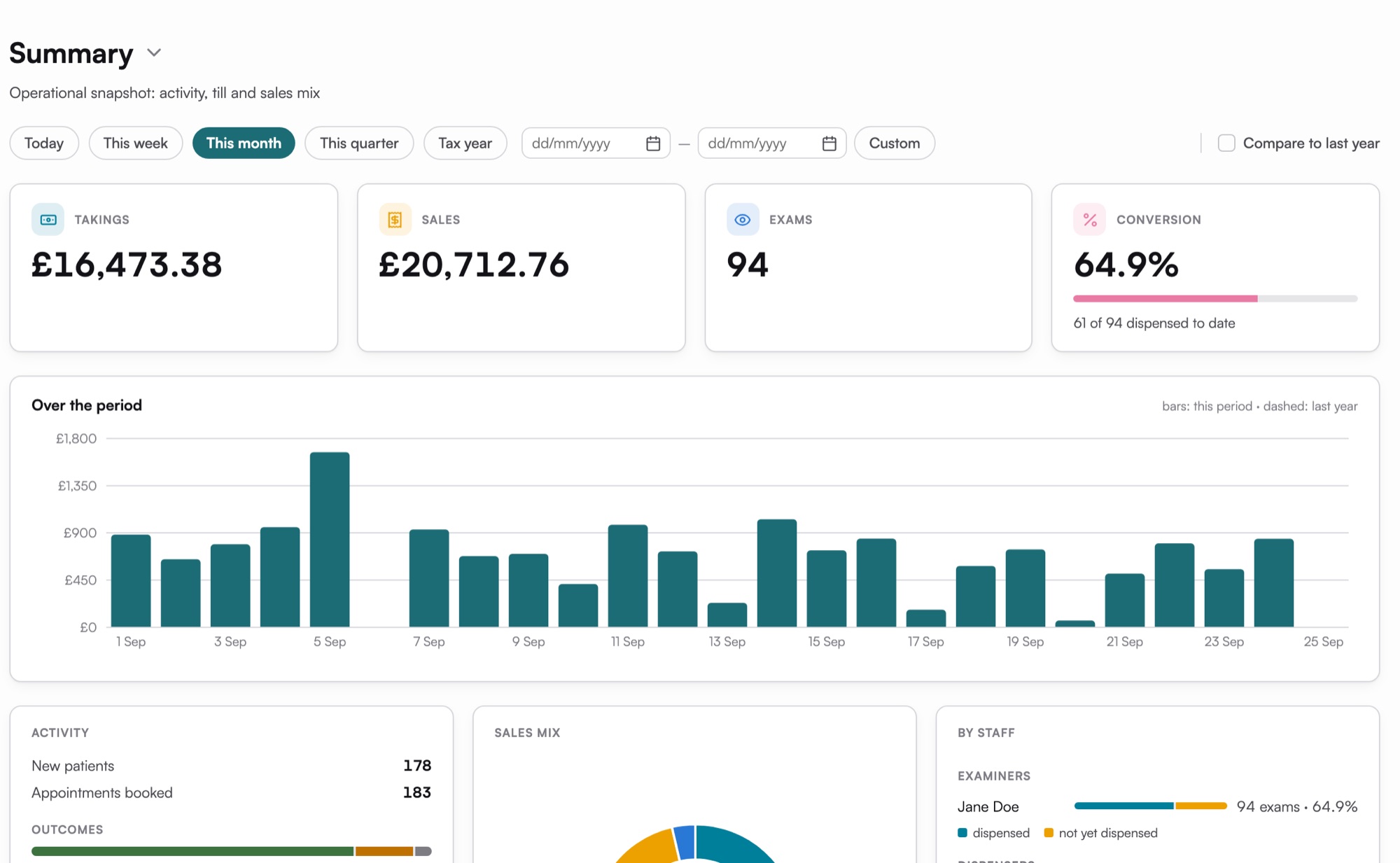
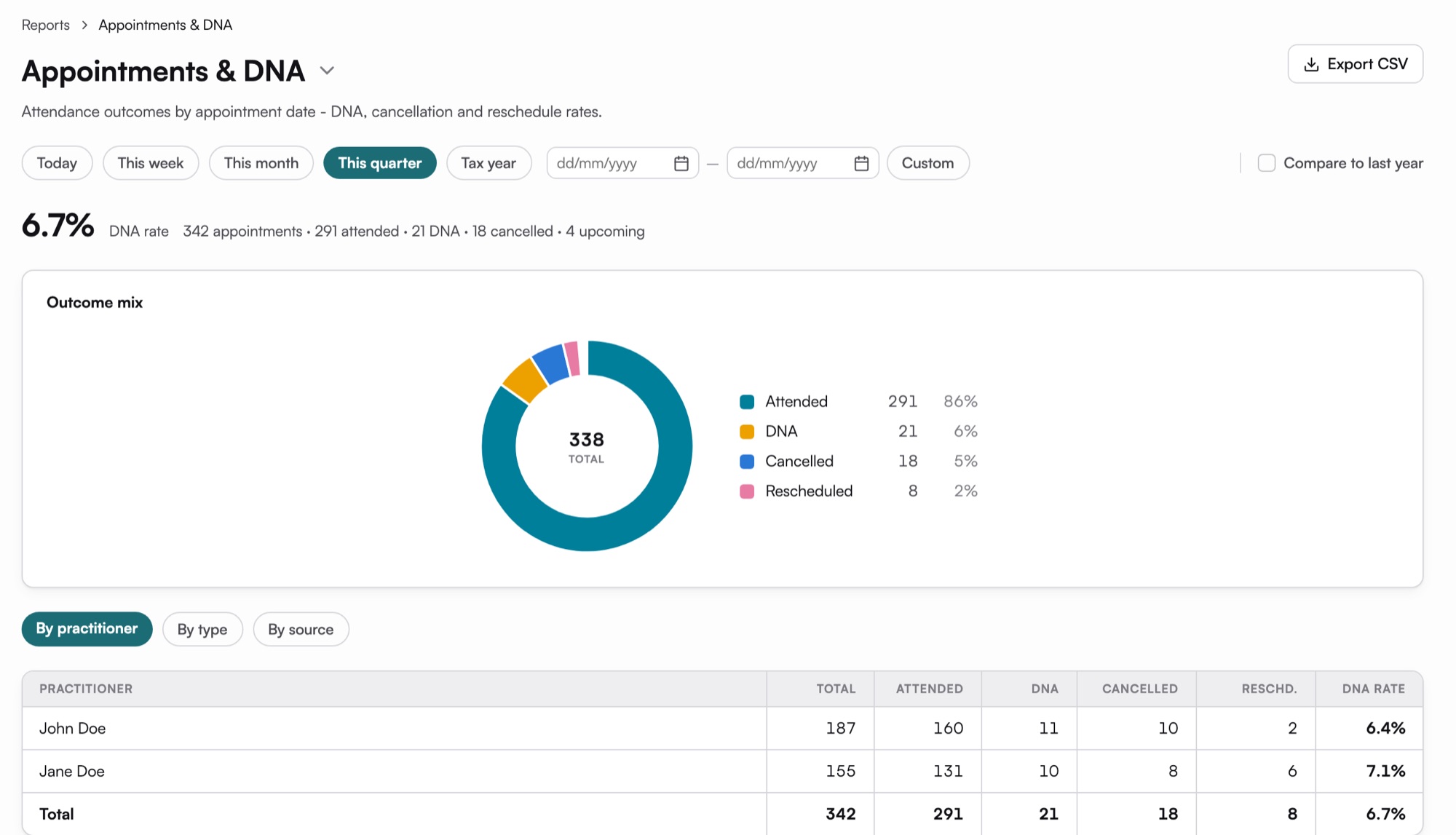
What the practice actually did this month.
Takings, sales, how many sight tests turned into glasses, who kept their appointment and which frames are selling. Built in, not a spreadsheet you export on Sunday night.
Late clinic? Turn the lights down.
Every screen in SightBase has a dark theme, including the diary, the exam and the till. It follows the computer's own setting until someone picks light or dark in Settings, and it is remembered on each machine.
See SightBase run your practice's week.
Twenty minutes, with your appointment types and your prices. We are working with a small number of founding practices before launch. Enquire now if you'd like yours to be one of them.